Showing posts with label lotus notes. Show all posts

What is Lotus Notes Compacting?

Your Notes mailbox contains usable documents and unused space ("white space"). Deletion of many documents or large attachments can cause considerable amounts of unused space, which takes up disk space unnecessarily. Compacting removes the unused space.

To check if your mailbox needs to be compacted, follow these steps:

1. Open you mailbox.

2. Select File - Database - Properties from the menu to bring up Database Properties dialog box.

3. In the dialog box click the second tab with letter "i" on it.

4. Click [% used] button to see the current compression ratio.

5. If the percentage of a database in use drops below 90% (it contains more than 10% unused space), click the Compact button to compact the database.

How do I check how big my mailbox is in Lotus Notes?

Your Notes mailbox is a single file on the server. In the Notes Help documents it is often referred to as a "mail file". All mail folders (Inbox, Sent, Drafts, etc), mail messages, calendar entries, etc. are stored inside this one file.

To check the current size of your mailbox (mail file) open it first, then select Actions - Add-on Features - Show Mailbox Info from the pull-down menus:


Your mail file size will be displayed in a dialogue box that will appear on your screen:


This also tells you how many documents are currently stored in your mailbox (includes messages in all folders, calendar entries, ToDo list entries, etc.), and whether quota has been assigned to your mailbox or not.

Lotus Notes Mail Auto Delete from inbox?

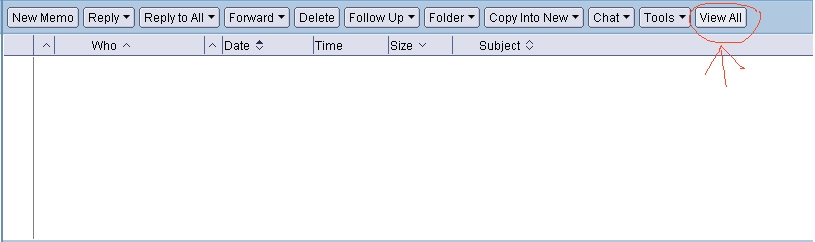
Encounter a problem where lotus notes mail is auto delete from inbox after opening / reading it. In fact, it's not deleted at all. Below is the solution.


Click the 'View All' under the inbox panel.

Problem re-solved. :)